


Cloud POS: billing that keeps running, with no server at the outlet
A traditional POS ties every outlet to a local server, a LAN and round-the-clock power. Cloud POS removes that dependency, so your stores keep selling and you stay in control of every outlet in real time.
Why move the POS to the cloud
Running a server at every outlet adds cost, effort and risk. A well-designed Cloud POS takes that weight off the store and saves implementation time, infrastructure cost and maintenance cost.
Traditional POS
- Needs a local server, LAN connectivity and 24×7 power at the outlet
- The local server needs regular maintenance
- Little or no real-time control over outlet operations
- Store operations and billing come to a standstill when the server goes down
Cloud POS
- No local server to set up, so implementation is faster
- Lower infrastructure and maintenance cost
- Real-time sync with the cloud server keeps every outlet visible
- Downtime brought down to zero, with offline billing as a safety net
What Cloud POS does
Everything a counter needs, from the first bill of the day to the final cash reconciliation.
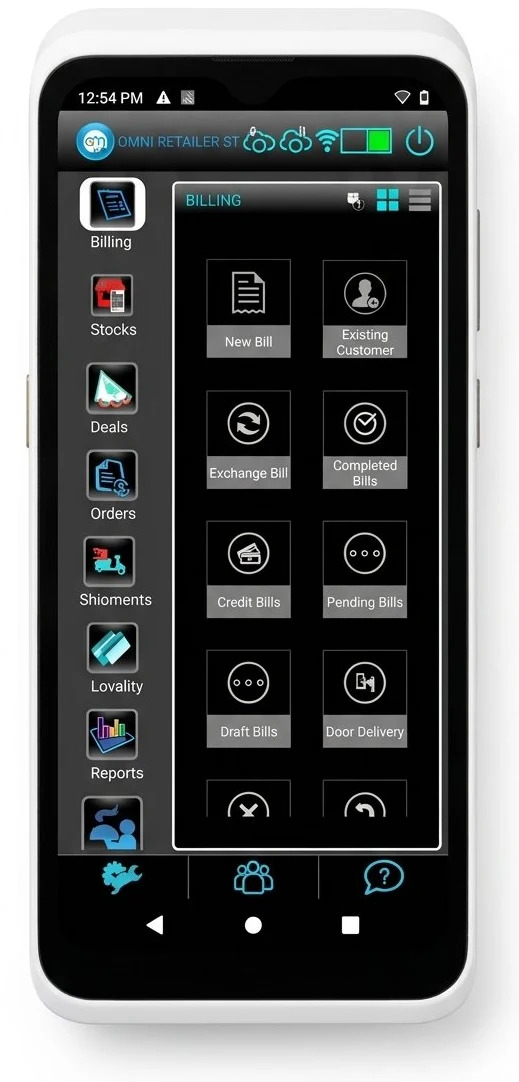
At the counter
- Billing works offline, and discounts apply offline too
- B2B and B2C invoicing
- Accepts any tender, and changes made on the server take effect immediately
- Customer loyalty programs
- Easy, customised bill print format
Devices and platforms
- Native apps for Windows and Android
- Connects to payment devices, weighing machines and other IoT devices
Outlet operations
- Day open and day closure
- Counter cash handover and reconciliation
- Petty cash management at the outlet
Central control
- Real-time sync with the cloud server
- Users are configured and controlled at the central level
- Part of omnichannel management
Fits your wider systems
Depending on your organisation and technology landscape, the POS may also need to support the following.
- Integration with ERP and SAP
- Data export and import
- Backup and restore
- Real-time replication and a backup server
- Log and audit verification
Security built in
Every Cloud POS deployment is expected to meet these security requirements.
- SSL enabled on all connections
- No direct exposure: the cloud server is routed through a proxy
- Cloud firewalls able to prevent attacks
- Only ports 80 and 443 open; all other server ports are closed
- Two-factor authentication for user access control
- Intrusion alerts whenever someone tries to penetrate the security layers
See it before you decide
Ask for a demo or an evaluation copy to compare Cloud POS in detail against your current setup.